Nuvaka › AI assistant
An AI assistant, everywhere in the app
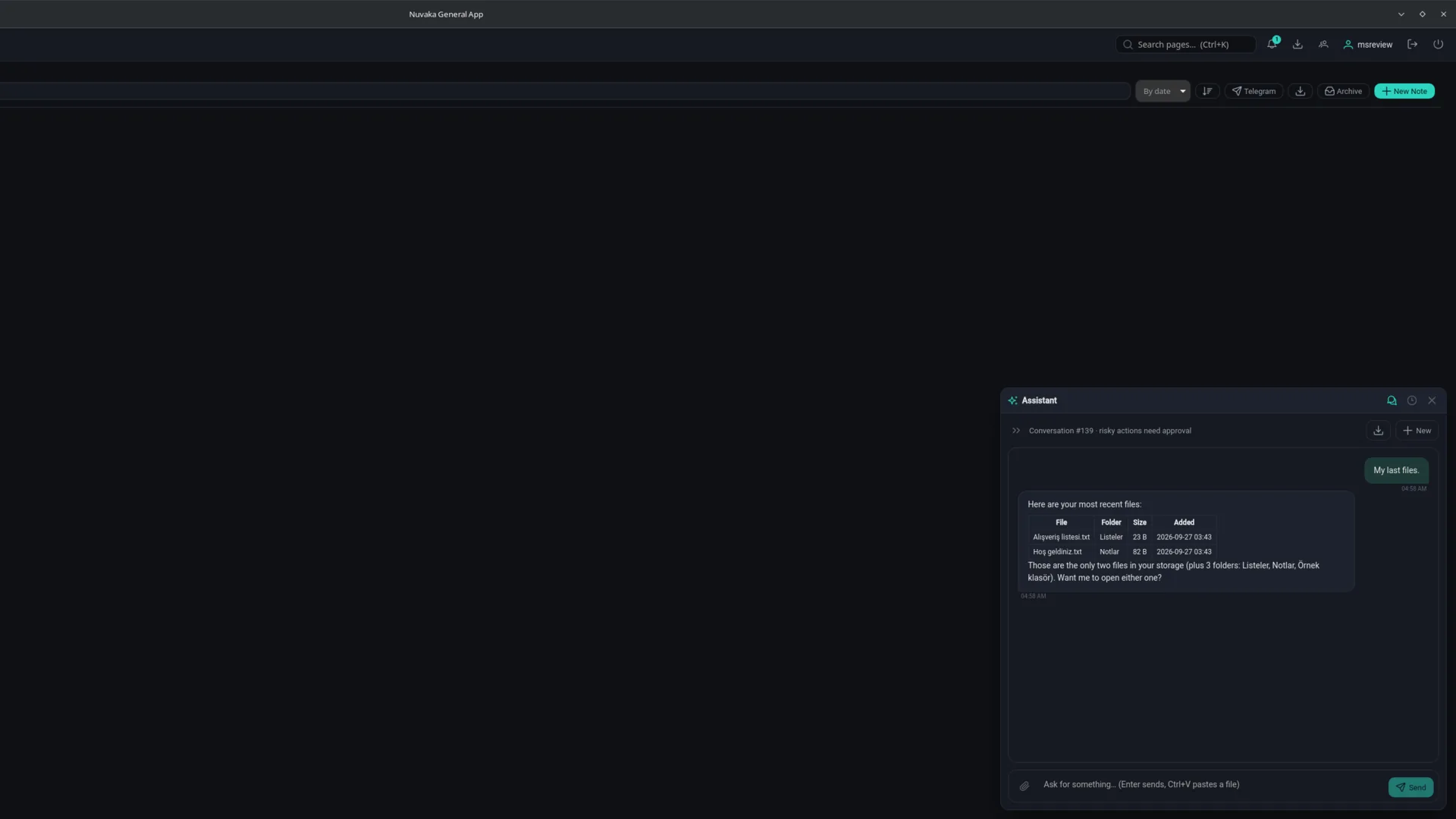
The Nuvaka assistant is a helper that uses the app's features for you. You write what you want; the assistant does the steps in order and shows you what it is doing, step by step. The button in the bottom right opens it on every screen, and it works without leaving the page.
What it can do
- My files: search, move and read files, create text files.
- Mail: search your inbox, read, draft a reply, save attachments to your storage.
- Notes and reminders: create and edit them.
- Sync: manage devices, versions, conflicts and deleted files.
- Clipboard pool: list, read, add and delete items.
- Nuvaka Apps: find apps in the store, install them with your approval and design your home page.
- Game Manager: versions, error codes, maintenance and warning settings.
You stay in control
For steps that cannot be undone, such as sending an email or deleting something, the assistant first shows a confirmation card; you see the content, edit it and approve. "Stop" works at any time. If you minimise it, it keeps working in the background and notifies you when it is done. Conversations are stored in your account, so you can continue the same conversation from another device and delete any conversation you want.
Commands on your own device
If you allow it, the assistant can run commands on your saved SSH, database or Redis connections through your own computer while it is online. This permission is granted per device and per connection, and you can turn it off at any time.
Privacy
The assistant works with a large language model. The content needed to complete a request (for example the text of an email or a note) is sent to the AI provider for processing. The assistant is only for signed-in users. Details are on the privacy page.
Frequently asked
Will the assistant send email or delete files without my approval?
No. For irreversible actions like sending email or deleting, a confirmation card appears first; you can see and edit the content, and nothing happens unless you approve.
Where are my conversations stored?
In your account, so you can continue from another device. You can delete conversations one by one; deleting your account deletes them all.
Can I use it without signing in?
No. The assistant works on the files, mail and notes in your account, so it is only for signed-in users.